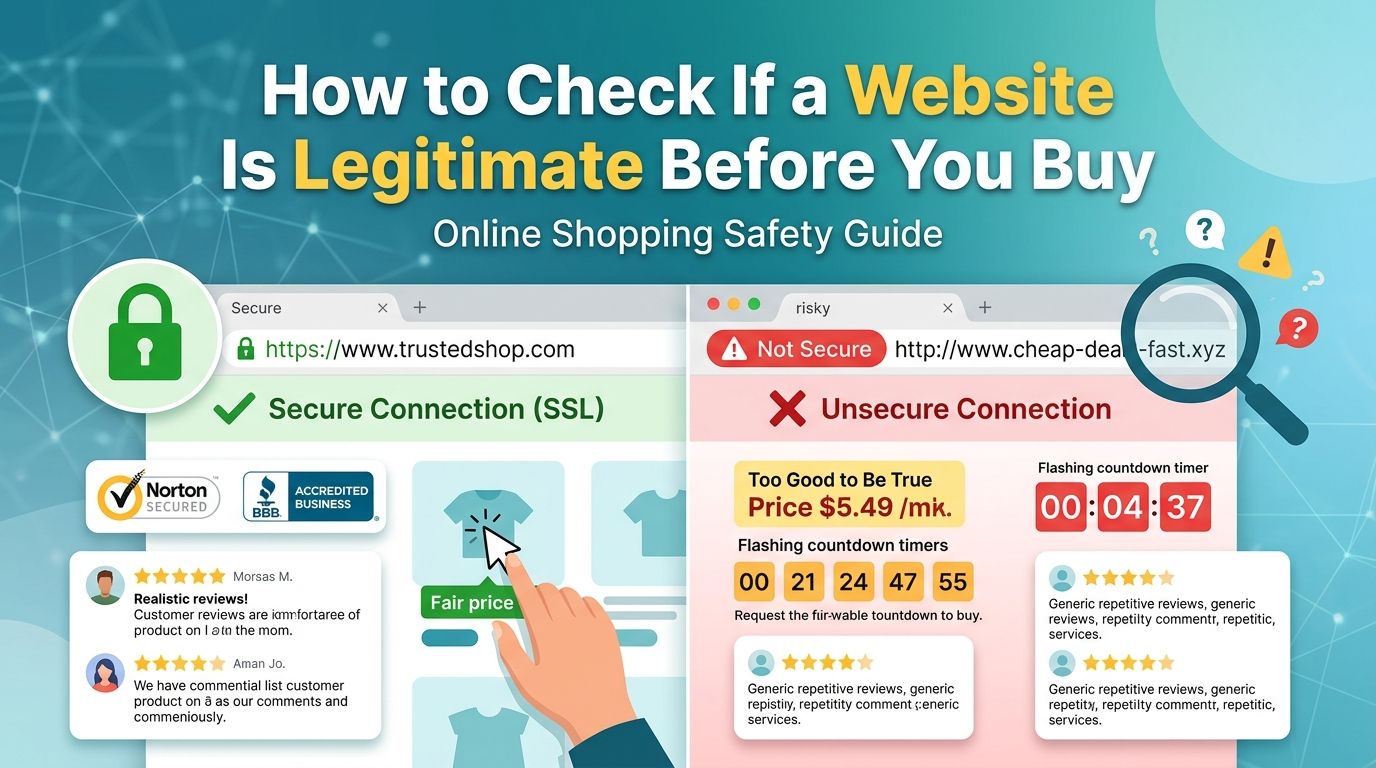
Shopping online is convenient, but not every website that looks professional is trustworthy. Fake stores, copied websites, misleading offers, and phishing pages can make it difficult to know whether a website is safe before entering personal or payment information.
Before buying from an unfamiliar website, check several signals together: the website address, company information, contact details, payment options, refund policy, independent reviews, and the way the site handles your information. No single check can prove that a website is legitimate, so it is better to look for multiple signs before making a purchase.
1. Check the Website Address Carefully
Start with the URL in your browser’s address bar.
Look for:
- Misspelled brand names
- Unusual domain extensions
- Extra words or characters in the domain
- Domains that imitate well-known companies
- Suspicious subdomains
- URLs that do not match the company or brand you intended to visit
For example, a website pretending to represent a well-known retailer might use a domain that looks similar to the real one but contains an extra word, number, or different spelling.
A professional-looking website does not automatically mean the domain is genuine.
2. Look for HTTPS — But Don’t Treat It as Proof
A secure connection normally shows a padlock or HTTPS in the browser.
This means the connection between your browser and the website is encrypted. It does not, by itself, prove that the business is legitimate.
Scam websites can also use HTTPS.
Therefore, use HTTPS as one security check rather than a complete trust signal.
3. Find Real Company Information
A legitimate business should normally provide enough information for customers to understand who operates the website.
Look for:
- Company or business name
- Physical or registered address where appropriate
- Customer support email
- Telephone number
- About page
- Terms and conditions
- Privacy policy
- Returns or refund information
Be cautious when a store claims to be an established company but provides almost no information about who operates it.
4. Check the Contact Information
Try to determine whether the contact details appear genuine.
For example, be cautious when:
- The only contact method is a generic web form
- The email address does not match the website’s domain
- The phone number appears nowhere else
- Customer support information is inconsistent
- The company provides an address that cannot be independently verified
You can also test the customer-service channel with a simple question before placing an expensive order.
A real response does not guarantee that a store is legitimate, but no response from a supposedly established retailer can be a useful warning sign.
5. Read the Refund and Return Policy
Before paying, find out what happens if your order is damaged, incorrect, delayed, or never arrives.
Check:
- Return period
- Refund conditions
- Return shipping responsibility
- Cancellation policy
- Restocking fees
- International return requirements
- How refunds are issued
A copied, contradictory, or extremely vague policy deserves additional scrutiny.
Do not assume that having a “Refund Policy” page automatically means the company will honor it.
6. Search for Independent Reviews
Do not rely only on reviews displayed on the website itself.
Search for the business name together with terms such as:
- reviews
- complaints
- scam
- customer experiences
- refund problems
Look at several independent sources where possible.
Pay attention to patterns rather than one isolated review. A single negative review does not necessarily prove that a business is fraudulent, while a large number of consistent complaints about undelivered orders or missing refunds deserves attention.
7. Be Careful With Extremely Low Prices
A major warning sign is a price that is dramatically lower than what reputable sellers normally charge.
For example, if several established retailers sell a product for $500 and an unfamiliar website offers the same product for $80, investigate before purchasing.
Possible explanations can include:
- Clearance stock
- Used or refurbished products
- Different product versions
- Regional pricing
- A genuine temporary promotion
But it can also indicate a fraudulent offer.
Compare the product, seller, shipping conditions, warranty, and total price before deciding.
8. Check the Payment Methods
Consider how the website asks you to pay.
Be more cautious if an unfamiliar seller insists on:
- Cryptocurrency
- Bank transfer
- Gift cards
- Direct payment to a personal account
- Other payment methods that provide limited buyer protection
Where available, a payment method with established dispute or buyer-protection procedures can provide an additional layer of protection.
Never send payment simply because a website creates urgency.
9. Watch for Pressure to Buy Immediately
Scam websites often use urgency to discourage people from checking the details.
Examples include:
“Only 2 left!”
“Your discount expires in 10 minutes!”
“Final warning — order now!”
Urgency is not proof of fraud. Legitimate retailers also use limited-time promotions.
However, if a website combines extreme urgency with an unusually low price, poor company information, and questionable payment methods, slow down and investigate before paying.
10. Check the Website’s Content for Warning Signs
Read several pages rather than judging the site from its homepage.
Look for:
- Numerous spelling or grammar errors
- Product descriptions copied from unrelated websites
- Images that appear to belong to another company
- Contradictory company names
- Different currencies or countries mentioned on different pages
- Policies that refer to another business
- Placeholder text
- Broken links or unfinished pages
One small error does not make a website fraudulent. Multiple inconsistencies are more significant.
11. Verify the Business Outside the Website
For an expensive purchase, do not limit your research to the website itself.
Search for the company independently.
Depending on the country and type of business, useful sources may include:
- Official business registries
- Established review platforms
- Consumer-protection organizations
- The company’s verified social profiles
- Industry directories
- Independent news coverage
The goal is to determine whether the business exists beyond the website you are considering.
12. Don’t Enter Sensitive Information Until You’re Comfortable
If you still have doubts, do not provide unnecessary personal information.
Be particularly careful with requests for:
- Passwords
- Banking credentials
- One-time verification codes
- Identity documents
- Full payment information
- Security answers
A legitimate shopping website should not need your password for another service, such as your email account or banking account.
If a website asks for information that seems unrelated to your purchase, stop and investigate.
A Quick Website Legitimacy Checklist
Before buying from an unfamiliar website, ask:
Check |
What to look for |
|---|---|
Domain |
Does the URL match the actual business? |
HTTPS |
Is the connection encrypted? |
Company |
Is there clear information about the business? |
Contact |
Can you reach the company through credible channels? |
Policies |
Are returns, refunds, privacy and terms clearly explained? |
Reviews |
Are there independent customer experiences? |
Pricing |
Is the price realistic compared with other sellers? |
Payment |
Does the payment method provide reasonable protection? |
Content |
Does the website appear consistent and original? |
External presence |
Can the business be verified outside its own website? |
What If You Already Paid a Suspicious Website?
If you have already made a purchase and now suspect something is wrong, act quickly.
Save:
- Order confirmation
- Payment receipt
- Emails and messages
- Product page
- Website URL
- Screenshots of the offer and policies
Then contact the payment provider or financial institution and ask what dispute or fraud-protection options are available.
If you created an account using a password that you also use elsewhere, change that password on the legitimate services where it was reused.
If you provided sensitive financial or identity information, contact the relevant provider or institution for guidance.
Is HTTPS Enough to Know That a Website Is Safe?
No.
HTTPS protects the connection between your browser and the website, but it does not establish that the website owner is trustworthy.
Use HTTPS together with other checks such as company information, independent reviews, payment methods, pricing, policies, and domain verification.
How Many Warning Signs Are Too Many?
There is no universal number.
One unusual detail may have a perfectly reasonable explanation. However, several independent warning signs occurring together should make you stop and investigate before paying.
The more expensive or important the purchase, the more verification you should do.
Final Thoughts
Checking whether a website is legitimate does not have to take hours. Start with the domain, company information, contact details, policies, independent reviews, pricing, and payment options.
Most importantly, do not rely on a single signal. HTTPS, a professional design, positive reviews on the website, or a low price alone cannot establish that a business is trustworthy.
If several details do not add up, take a step back and verify the business through independent sources before providing payment or personal information.
A few minutes of research can help you avoid a much bigger problem later.