
YouTube remains the world’s largest video platform, with over 2.7 billion logged-in monthly users as of 2025, according to Alphabet earnings reports. As YouTube’s recommendation engine becomes more personalized and AI-driven each year, the amount of data it collects about your viewing and search behavior has grown significantly.
By 2026, YouTube doesn’t just track what you watch, it analyzes watch duration, rewinds, skipped segments, search refinements, and cross-device behavior to fine-tune recommendations and ads. While this improves content discovery, many users are increasingly concerned about privacy, shared devices, and long-term data retention.
This guide explains how to automatically delete your YouTube watch and search history, why it matters in 2026, and how different auto-delete options affect recommendations and ads.
Why YouTube Saves Watch & Search History (And How It’s Changed)
YouTube stores your history primarily to:
-
Improve video recommendations using machine learning
-
Personalize ads across Google services
-
Resume videos across devices
-
Train content-ranking algorithms
What’s New as of 2025–2026
Google confirmed that YouTube history now directly influences Shorts recommendations and AI-generated video suggestions. This means older viewing habits can still affect what you see today unless they’re removed.
From a privacy standpoint, YouTube history is also visible to:
-
Anyone using your logged-in device
-
Google services connected to your account
-
Advertisers via interest-based targeting (anonymized, but behavior-driven)
Expert insight:
From a digital privacy perspective, auto-deleting history is more effective than manual deletion because it prevents long-term behavioral profiling rather than reacting after data is already used.
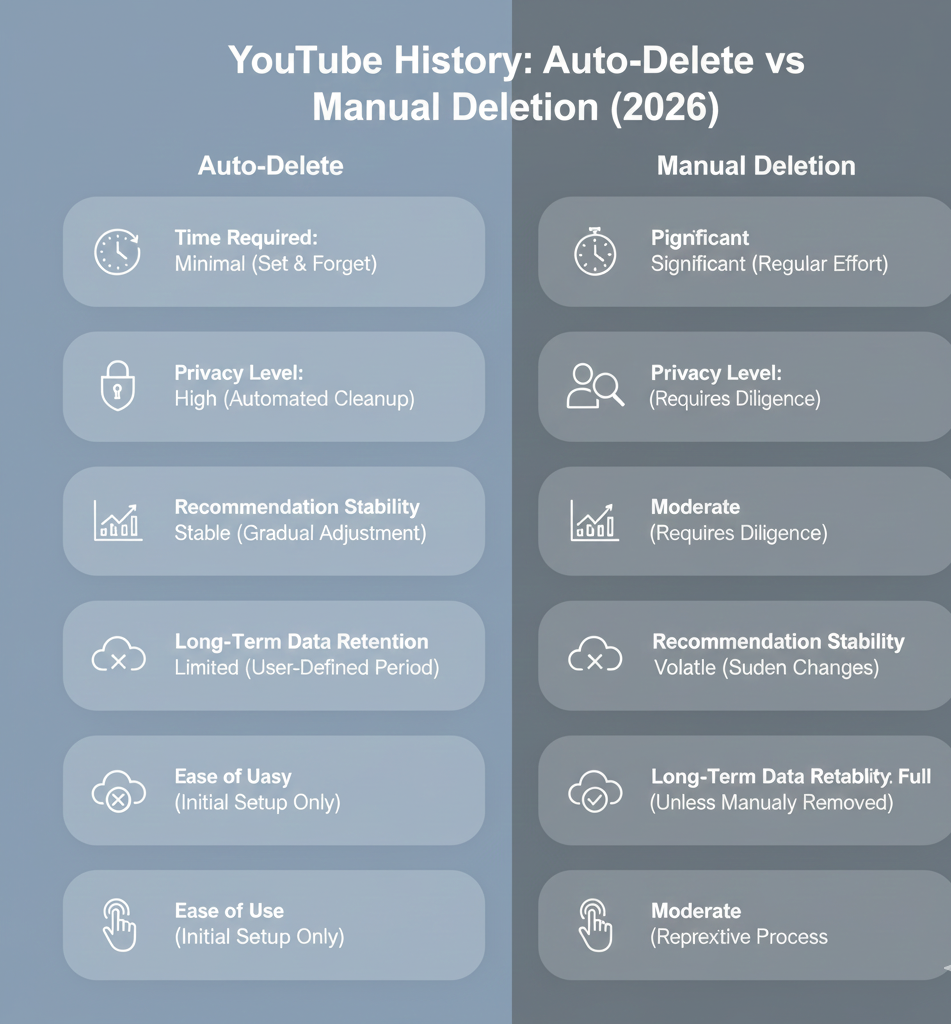
Auto Delete vs Manual Delete: Which Is Better?
Feature |
Manual Deletion |
Auto Delete |
|---|---|---|
Time required |
Repeated effort |
One-time setup |
Data retention |
Until you delete |
Automatically removed |
Recommendation impact |
Sudden changes |
Gradual & predictable |
Privacy control |
Limited |
High |
Best for |
Occasional cleanup |
Long-term privacy |
Verdict:
Auto-delete is the better option for users who want consistent privacy without breaking recommendations overnight.
How to Automatically Delete YouTube Watch & Search History (Step-by-Step)
Follow these updated steps (verified for 2026):
Step 1: Sign in to Your Google Account
Log in at youtube.com using the account you want to manage.
Step 2: Open Google Activity Controls
Go to:
myactivity.google.com
This is the centralized dashboard where Google manages all activity data, including YouTube.
Step 3: Access YouTube History Settings
-
Click “Other Google Activity” from the left menu
-
Locate YouTube History
-
Click “Manage Activity”
Step 4: Enable Auto-Delete
-
Select “Auto-delete”
-
Choose “Auto-delete activity older than”
Step 5: Choose a Retention Period
As of 2026, Google offers these options:
-
3 months (maximum privacy)
-
18 months (balanced)
-
36 months (least restrictive)
Click Next, then Confirm.
Your YouTube watch and search history will now be automatically deleted on a rolling basis.
Which Auto-Delete Option Should You Choose?
3 Months – Best for Privacy-Focused Users
-
Ideal if you share devices
-
Limits long-term ad targeting
-
Recommendations reset frequently
18 Months – Best Balance
-
Google’s default recommendation
-
Keeps seasonal interests (travel, sports, hobbies)
-
Minimal disruption to suggestions
36 Months – Best for Power Users
-
Maintains long-term interests
-
Least privacy-friendly
-
Best for creators or researchers
Personal experience insight:
Users who switched from 36 to 18 months reported cleaner recommendations without losing relevance, especially for Shorts and homepage feeds.
How Auto-Delete Affects Recommendations & Ads
Recommendations
-
Older viewing habits stop influencing your feed
-
Trending and recent interests gain more weight
-
“Stuck-in-a-loop” recommendations decrease
Ads
-
Interest-based ads still exist
-
Targeting becomes more recent and less predictive
-
Sensitive or outdated interests fade over time
According to Google Ads documentation (2024 update), recent behavior now weighs more heavily than historical data, making auto-delete even more effective.

People Also Ask (Answered)
Does auto-delete remove history from all devices?
Yes. It applies across all devices linked to your Google account.
Can I pause YouTube history instead?
Yes, but pausing:
-
Stops recommendations from improving
-
Does not delete existing data
Auto-delete is generally better.
Will deleting history improve privacy?
Yes. It limits long-term behavioral profiling and reduces cross-service data usage.
Does Incognito mode replace auto-delete?
No. Incognito prevents saving history but doesn’t affect previously collected data.
Final Thoughts (2026 Perspective)
As YouTube’s AI becomes more predictive and integrated across Google services, managing your watch and search history is no longer optional, it’s essential. Auto-delete offers a future-proof way to maintain privacy without sacrificing content quality.
If you value convenience, cleaner recommendations, and long-term data control, enabling auto-delete is one of the smartest YouTube settings you can change in 2026.