LAST UPDATED: AUGUST 2026
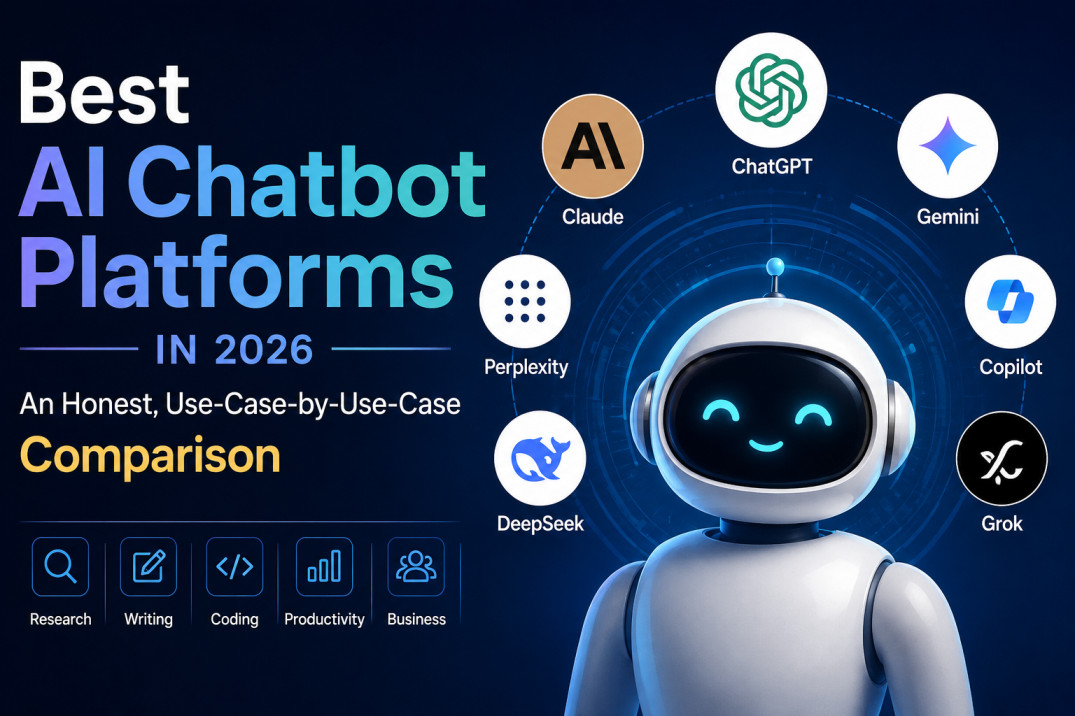
ChatGPT, Claude, Gemini, Copilot, Perplexity, Grok, and DeepSeek compared on writing, research, coding, pricing, and real-world fit — not just popularity.
Quick answer
There’s no single “best” AI chatbot in 2026 — the right pick depends on what you’re doing. ChatGPT remains the most well-rounded, feature-dense option for general use. Claude tends to be the pick of professional writers and developers for long-document work and code quality. Gemini makes the most sense if you live inside Gmail, Docs, and Sheets. Perplexity is built specifically for cited research. Copilot only really earns its price inside Microsoft 365. Grok is the one to reach for when you need real-time X/social context. DeepSeek is the most aggressive option on price, especially for developers. The comparisons below explain why, with current 2026 pricing and features for each.
On this page
Every one of these platforms shipped a new model generation in the first half of 2026 — OpenAI moved to its GPT-5.6 lineup, Anthropic introduced its Claude 5-generation models alongside the higher Mythos tier, Google reorganized Gemini around the 3.x family, and DeepSeek’s V4 release reset expectations for what a nearly-free model can do. That churn is exactly why so many “best AI chatbot” roundups go stale within weeks. This guide focuses less on which platform tops a leaderboard this month and more on which one fits the way you actually work — because for most people, that matters more than a percentage point on a benchmark.
A note on methodology: nothing here is invented. Pricing, model names, and feature claims below are drawn from each company’s own pricing pages and documentation as of August 2026, cross-checked against independent tracking sites. Prices change often and vary by region and billing cycle (monthly vs. annual), so treat the figures as directional and confirm current numbers before you buy.
AI Chatbot Comparison Table (2026)
Platform |
Best For |
Free Tier |
Entry Paid Plan |
Standout Strength |
|---|---|---|---|---|
ChatGPT |
All-round daily driver |
Yes, limited, with ads in some regions |
Plus, $20/mo |
Broadest feature set: agents, Sora video, Codex, Deep Research |
Claude |
Writing & coding quality |
Yes, limited |
Pro, $20/mo (~$17 annual) |
Natural prose, long-document handling, Claude Code |
Gemini |
Google Workspace users |
Yes, generous |
Google AI Pro, ~$19.99/mo |
Native Gmail/Docs/Sheets integration, huge context window |
Copilot |
Microsoft 365 businesses |
Limited, tied to M365 |
~$18–21/user/mo add-on |
Deep native integration in Word, Excel, Outlook, Teams |
Perplexity |
Cited research & search |
Yes, unlimited standard search |
Pro, $20/mo |
Real-time web citations, Model Council on Max |
Grok |
Real-time X/social data |
Yes, limited daily requests |
SuperGrok, ~$30/mo |
Live X search, very large context window |
DeepSeek |
Budget users & developers |
Yes, full model in app |
Pay-per-token API, fractions of a cent |
Open-weight models, lowest API cost in the market |
Prices are consumer, US-facing figures as of August 2026 and are approximate — regional pricing, promotions, and annual-billing discounts can shift the exact number. Business, education, and enterprise tiers exist for most platforms and are covered in each review below.
1. ChatGPT: The Broadest Feature Set
OpenAI has spent 2026 turning ChatGPT from a chat window into something closer to an operating layer. The current model generation, GPT-5.6, is split into variants — Sol, Terra, and Luna — with different reasoning depths, and which one you actually talk to depends on your plan and which surface you’re using (standard chat, Codex, or ChatGPT Work). That’s a meaningfully more complicated setup than the old “just GPT-4” days, and it’s worth knowing before you assume a paid plan gives you the top model on every message.
The Free tier gets you a capped daily allowance on a lighter model, with ads now appearing in the US on the cheapest tiers. Plus, at $20/month, is where ChatGPT earns its reputation: it includes the full reasoning model family, Deep Research runs, Sora video generation, Codex for coding, Agent Mode for multi-step browsing tasks, Canvas for iterative documents, and custom GPT creation. There’s also a Go tier around $8/month for people who want more headroom than Free without paying full price, and two Pro tiers ($100 and $200/month) aimed at heavy users and developers who need higher usage caps and access to the top-effort reasoning mode. Business pricing runs roughly $20–25 per seat.
Key takeaway: ChatGPT’s advantage isn’t raw model quality anymore — several competitors are close on that front. It’s the sheer number of things you can do without leaving the app: generate video, run agents, write and execute code, and search deeply, all under one subscription.
Strengths: largest plugin/integration ecosystem, strong at general writing and brainstorming, genuinely useful agent and coding tools, image and video generation baked in.
Limitations: the multi-model naming (Sol/Terra/Luna, Instant vs. Thinking) is confusing, free-tier limits are tight, and cost can climb quickly if you need the $100–200 Pro tiers for serious volume.
2. Claude: Built for Writing, Reasoning, and Code
Anthropic’s Claude lineup in 2026 runs on a straightforward tier structure: Haiku for fast, low-cost tasks, Sonnet as the balanced everyday model, and Opus for the hardest reasoning and coding work, with a specialized higher tier for advanced agentic and research use cases sitting above Opus. Most Claude.ai subscribers never need to think about this — the consumer app picks a sensible default — but it matters if you’re comparing API costs or picking a model inside Claude Code.
Subscription pricing has stayed simple and largely unchanged for several years: Free gives limited daily access, Pro is $20/month (or roughly $17/month billed annually), and Max scales from $100 to $200/month for people who need much higher usage caps, including for Claude Code, Anthropic’s coding-agent tool that’s bundled into every paid plan rather than sold separately. Team plans start around $25–30 per seat, and Enterprise is custom.
What tends to separate Claude from the pack in day-to-day use is prose quality — its output reads less like a template and more like something a careful human editor would produce — and its handling of long documents. Sonnet and Opus both support a 1-million-token context window, which is enough to load a full manuscript, a large codebase, or dozens of research PDFs into a single conversation without chunking.
Key takeaway: if your work is writing-heavy, code-heavy, or involves feeding in long documents, Claude is consistently one of the strongest options — professional writers and developers cite it disproportionately often for exactly those reasons.
Strengths: natural, well-edited writing; strong, careful coding output; very large context window on mid-tier and top-tier models; simple, stable pricing.
Limitations: no native video generation, a smaller consumer plugin ecosystem than ChatGPT, and the free tier’s usage caps are reached quickly under heavy use.
3. Gemini: The Default Choice Inside Google’s Ecosystem
Google rebuilt its consumer AI lineup around Gemini 3 in 2026, and the free tier is genuinely more capable than most competitors’: it runs on a real current-generation model (Gemini 3.5/3.6 Flash) rather than a deliberately hobbled one, with no credit card required. The paid ladder runs Google AI Plus at roughly $5–8/month for light personal use, Google AI Pro at $19.99/month as the mainstream plan with Deep Research and Gemini’s flagship Pro model, and Google AI Ultra, which Google repriced downward at I/O 2026 to a $99.99 entry point (with a higher $200 tier) after previously charging up to $249.99.
Gemini’s biggest practical edge is that it doesn’t live in a separate app for most Google users — it’s inside Gmail, Docs, Sheets, and Meet as part of Google Workspace’s Business Standard and higher plans, so teams already paying for Workspace may already have meaningful Gemini access without a separate AI line item. On raw capability, Gemini also tends to lead on context window size (reaching into the millions of tokens on some models) and on native multimodal handling — image, video, and audio understanding feel like first-class citizens rather than bolted-on features.
Key takeaway: if your day already runs through Gmail, Docs, and Sheets, Gemini removes the tab-switching that other chatbots require, and its free tier is the most usable of any major platform.
Strengths: best-in-class free tier, seamless Workspace integration, huge context windows, strong multimodal (image/video/audio) understanding.
Limitations: the consumer plan structure has changed more than once in the past year, which makes it harder to pin down exactly what a given price includes, and some users have reported feature access inconsistencies between plan tiers during rollouts.
4. Microsoft Copilot: An Office Tool First, a Chatbot Second
Copilot is a different kind of product from the rest of this list. It isn’t primarily a standalone chat destination — it’s an AI layer stitched into Word, Excel, PowerPoint, Outlook, and Teams, sold mostly as an add-on to an existing Microsoft 365 subscription. For businesses, that add-on runs roughly $18–21 per user per month at the small-business tier and around $30 per user per month at the enterprise tier, on top of the base Microsoft 365 license. For individual consumers, Microsoft has folded Copilot into its Microsoft 365 Personal and Family plans (branded Premium), rather than selling it as a clean standalone chatbot subscription the way OpenAI or Anthropic do.
Where Copilot wins is inside the apps people already use for work: drafting in Word with full awareness of a document’s formatting, building formulas and analyzing data directly in Excel, summarizing a cluttered inbox in Outlook, or catching up on a missed Teams meeting. For pure open-ended chat, long-form writing, or coding outside the Microsoft ecosystem, most reviewers — and Microsoft’s own comparisons — note that ChatGPT and Claude still produce stronger results.
Key takeaway: don’t evaluate Copilot as a chatbot in isolation. Evaluate it as “how much time does this save inside the Office apps my team already lives in” — that’s the actual value proposition, and for many businesses it’s a strong one.
Strengths: unmatched native integration with Word, Excel, PowerPoint, Outlook, and Teams; enterprise-grade data governance for regulated industries.
Limitations: requires an eligible Microsoft 365 license as a prerequisite; general chat, creative writing, and coding quality trail the dedicated chatbot platforms; pricing structure has shifted multiple times in the past year.
5. Perplexity: Purpose-Built for Research
Perplexity’s entire product is designed around one job: answering questions with visible, numbered citations pulled from live web sources, rather than presenting an answer as if it came from nowhere. The Free tier offers unlimited standard searches with real citations and no daily cap, which is unusually generous for a free plan in this category. Pro, at $20/month, adds a daily allotment of Deep Research runs, broader model choice, and file uploads. Max, at $200/month, is aimed at people who want the platform working autonomously — it adds “Model Council,” which runs a query across multiple leading models in parallel and synthesizes the results, along with much higher limits on its agentic “Labs” features.
Perplexity also ships Comet, its own AI-integrated browser, which became free for all users in 2026 rather than staying paywalled — a meaningful shift for anyone who wants citation-grounded browsing built into daily web use. A discounted Education Pro tier (around $10/month) exists for verified students, and Enterprise plans (Enterprise Pro and Enterprise Max) add SSO, admin controls, and data-retention guarantees for teams.
Key takeaway: Perplexity is the platform to reach for when you need to trust — and verify — where an answer came from. It’s less suited to long creative writing or complex coding, and it knows it; the product doesn’t try to be everything.
Strengths: best-in-class source citation, genuinely useful free tier, Model Council gives a second opinion from multiple models in one query.
Limitations: weaker at long-form creative writing and coding than ChatGPT or Claude, and the $200/month Max tier is hard to justify unless you’ll actually use its autonomous features.
6. Grok: Real-Time Social Data, At a Price
Grok’s differentiator is baked into its access to X (formerly Twitter): it can pull in live posts and trending discussion in a way none of the other platforms can, which makes it genuinely useful for tracking breaking news, public sentiment, or fast-moving online conversations. The free tier on grok.com and X offers a small daily allowance of requests. SuperGrok, xAI’s standalone subscription at roughly $30/month, removes most limits and adds DeepSearch and an extended-reasoning mode. SuperGrok Heavy, at around $300/month, adds a multi-agent model built for the hardest, most compute-intensive problems. Grok access is also bundled into X Premium+ (about $40/month) for people who want the social platform and the AI in one subscription, and there’s a Grok Business plan around $30/user/month with a no-training-on-your-data guarantee.
On independent benchmarks Grok has posted strong scores and low hallucination rates, and its API context windows — up to roughly 2 million tokens on the fastest model — are among the largest available. That said, several reviewers who’ve tested it head-to-head still give the edge to Claude on cleaner code output and to ChatGPT or Claude on creative writing, and xAI’s enterprise data-residency options remain narrower than the older, more established providers.
Key takeaway: Grok earns its place when real-time social/web context genuinely matters to your work. Outside that niche, it competes on price and context window rather than on clearly superior output quality.
Strengths: live X data access, very large context windows, competitive API pricing at the low end.
Limitations: confusing plan names (SuperGrok vs. X Premium+ vs. Heavy), coding and creative writing trail the leaders, narrower enterprise privacy controls.
7. DeepSeek: The Budget and Open-Weight Option
DeepSeek continues to compete almost entirely on price and openness rather than on a polished subscription product. Its current generation, DeepSeek V4, ships in two variants — V4 Pro (a large mixture-of-experts model built for reasoning and coding) and V4 Flash (a faster, cheaper model for high-volume or agentic workloads) — both released under an open license and both supporting a 1-million-token context window. The free chat app gives everyday users direct access to the model at no cost, while developers pay per token through the API at rates that undercut every other platform on this list by a wide margin — often a fraction of a cent per million tokens for the Flash model.
That price advantage comes with trade-offs worth being upfront about. DeepSeek doesn’t offer the kind of tiered consumer subscription (Pro, Max, Business) that the other platforms do — it’s really two products, a free chat app and a developer API — so it’s a weaker fit if you want dedicated account features like team collaboration or enterprise support contracts. Because DeepSeek is a China-based company, organizations with strict data-residency or geopolitical compliance requirements should evaluate its data-handling policies carefully before routing sensitive information through it, the same way they would with any provider operating under a different regulatory regime.
Key takeaway: DeepSeek is hard to beat on raw cost-per-token for developers, and its open-weight models mean you can self-host if you want full control — but it’s not aiming to be a polished all-in-one consumer product the way ChatGPT or Claude are.
Strengths: lowest API pricing in the market by a wide margin, open-weight models available for self-hosting, strong coding and reasoning results for the price.
Limitations: no tiered consumer subscription plans, fewer polished productivity features, data-residency considerations for regulated organizations.
Best AI Chatbot by Use Case
Rather than crowning one overall winner, it’s more useful to match the platform to the job. Here’s how these seven stack up across the situations people actually search for.
Best overall: ChatGPT
The widest range of built-in tools — agents, video, code execution, deep research — under one subscription makes it the safest default pick if you only want to learn one platform.
Best for writing: Claude
Consistently praised for prose that doesn’t sound machine-generated, plus a huge context window for feeding in style guides, drafts, or reference material.
Best for research: Perplexity
Purpose-built citation trails mean you can verify every claim back to its source — something the general-purpose chatbots weren’t designed to make easy.
Best for coding: Claude, closely followed by ChatGPT
Independent testing and developer surveys repeatedly favor Claude’s code cleanliness and reliability on complex, multi-file tasks, with ChatGPT’s Codex tooling a strong alternative inside its own ecosystem.
Best free option: Gemini
Google’s free tier runs on a genuinely current model rather than a crippled one, with no credit card required — the most usable free plan of the seven.
Best for businesses: Copilot (Microsoft-based teams) or Claude/ChatGPT Business (everyone else)
If your organization runs on Microsoft 365, Copilot’s native integration is hard to replicate elsewhere. Outside that ecosystem, ChatGPT Business and Claude Team/Enterprise both offer solid seat-based plans with admin controls.
Best for students: Gemini or Perplexity’s Education Pro
Gemini’s free tier and Perplexity’s discounted Education Pro plan both give strong models at little to no cost — a meaningful difference for a student budget.
Best for advanced/developer users: DeepSeek (cost) or Claude/Grok (capability at scale)
Developers optimizing for cost per token will struggle to beat DeepSeek’s API rates; those optimizing for output quality on agentic and coding workloads tend to land on Claude, with Grok’s large context windows as a budget-conscious alternative.
How to Choose the Right AI Chatbot
A few practical questions cut through most of the decision faster than a feature checklist ever will:
- What ecosystem are you already in? If your work already runs through Gmail and Google Docs, or through Word and Outlook, the integrated option (Gemini or Copilot) removes friction that a standalone chatbot can’t.
- Is verifiability non-negotiable? If you need to trace every claim to a live source — journalism, academic work, fact-checking — Perplexity’s citation-first design is worth the switch even if you keep another platform for everything else.
- Are you writing or coding at length? Context window size and output quality both matter more than raw benchmark scores here. Claude’s 1M-token context and writing quality make it a strong default for this category.
- Is budget the constraint? Gemini’s free tier and DeepSeek’s near-zero API pricing are the two strongest options if cost is the deciding factor, though they trade off polish and integrated tooling to get there.
- Does your data need to stay under strict compliance rules? Check each provider’s data-training and retention policy directly, and pay particular attention to where a provider is based and hosted if you’re in a regulated industry — this varies meaningfully across the seven platforms above.
It’s also worth saying plainly: most professionals using AI heavily in 2026 don’t use just one platform. A common pattern is a primary daily driver (often ChatGPT or Claude) plus a specialist tool bolted on for research (Perplexity) or for whatever ecosystem their employer runs on (Copilot or Gemini). Paying for two $20/month plans is often cheaper and more effective than trying to force one platform to do a job it wasn’t designed for.
Final Verdict
If you only take one thing from this guide:
Pick ChatGPT if you want one tool that does the most things reasonably well. Pick Claude if writing quality or code reliability is the priority. Pick Gemini if you live in Google’s apps or want the strongest free tier. Pick Perplexity if trustworthy, cited research is the job. Pick Copilot only if your organization is already committed to Microsoft 365. Pick Grok if real-time social context is genuinely part of your workflow. Pick DeepSeek if you’re a developer optimizing hard for cost. None of these are wrong answers — they’re different tools solving different problems, and the “best” one is simply the one that matches the problem you actually have.
Frequently Asked Questions
ChatGPT vs. Claude: which is actually better?
Neither wins outright. ChatGPT has more built-in tools (video generation, agents, a larger plugin ecosystem), while Claude generally produces cleaner writing and code and handles longer documents more comfortably. Many heavy users keep both and switch depending on the task.
Claude vs. Gemini: which should I pick?
If you already work inside Gmail, Docs, and Sheets, Gemini’s native integration is hard to beat. If your priority is writing quality, coding reliability, or handling very long standalone documents outside of Google’s apps, Claude tends to edge ahead.
What’s the best free AI chatbot in 2026?
Gemini’s free tier stands out because it runs on a real current-generation model with generous limits and no credit card required. Perplexity’s free tier is also strong specifically for cited research, and DeepSeek’s free chat app gives full access to its flagship open model at no cost.
Which AI chatbot is most private?
Privacy depends heavily on the plan, not just the platform — business and enterprise tiers across ChatGPT, Claude, Gemini, and Perplexity generally guarantee your data won’t be used for model training, while free consumer tiers often reserve the right to use conversations for improvement unless you opt out. Always check the specific plan’s data policy rather than assuming based on the company name.
Is it worth paying for more than one AI chatbot?
For many professionals, yes. A common setup is one general-purpose subscription (ChatGPT or Claude) plus a specialist tool for research (Perplexity) or whatever platform an employer’s ecosystem runs on (Copilot or Gemini). Two $20/month plans is often better value than forcing one tool to cover every job.
Is DeepSeek safe to use?
DeepSeek’s models are technically strong and extremely cheap to run, but as a China-based provider it carries different data-residency and regulatory considerations than US or EU-based platforms. Organizations with strict compliance requirements should review its data-handling policy directly before sending sensitive information through it, the same due diligence they’d apply to any provider outside their home jurisdiction.