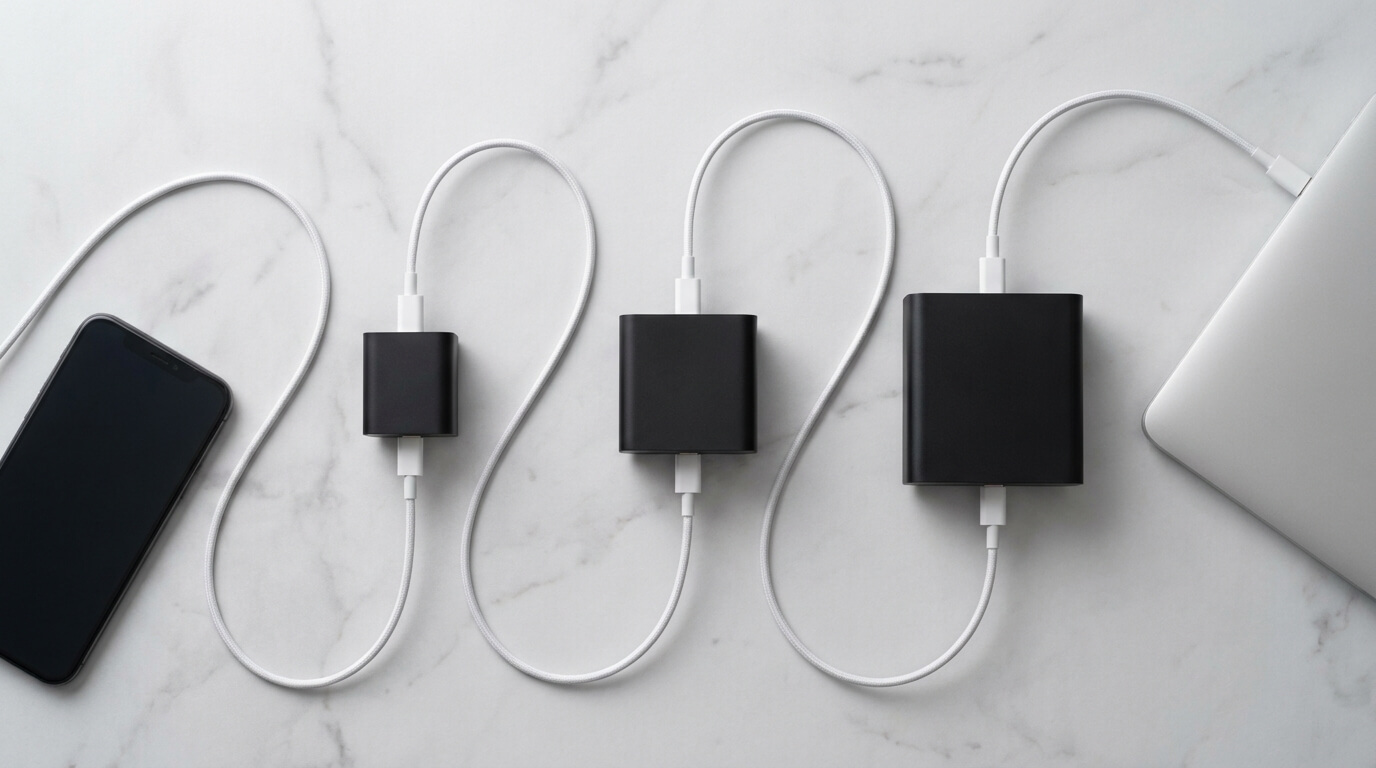
Most phones only need 25W to hit their maximum charging speed, anything higher just sits unused. 45W matters if you own a Samsung Galaxy S-series flagship or a smaller tablet, where it can shave real minutes off a 0-50% charge. 65W is laptop territory, it’s overkill for a phone, but it’s the number you want if you’re charging a MacBook Air, an iPad Pro, or a phone and a laptop from the same brick.
Your phone decides how much power it pulls, not the charger. Plug a 65W charger into an iPhone, and the iPhone still only takes about 27W. Nothing gets damaged, nothing gets wasted, the extra wattage just isn’t used.
So the real question isn’t “which charger is fastest.” It’s “which wattage matches what my specific devices can actually accept.” That’s what this guide breaks down, tier by tier, with real numbers instead of marketing claims.
1. What “Watts” Actually Means for Charging Speed
Watts measure how much energy moves from the charger into your battery every second. More watts means a faster flow of energy, in the same way a wider pipe moves more water per second than a narrow one.
The formula behind it is simple: Volts x Amps = Watts. You never need to do this math yourself, but it explains why two chargers with the same wattage can still behave differently depending on the voltage and current combination they use.
- Watts = the rate of energy transfer, not the total energy stored
- A phone’s battery capacity (measured in mAh or Wh) is separate from its charging speed
- Higher wattage chargers use USB-C Power Delivery (PD) to negotiate the fastest safe speed automatically
- The negotiation between charger and phone happens in milliseconds before any real power flows
2. 25W Explained: The Realistic Baseline for Phones
25W has become the practical starting point for fast charging in 2026, replacing the old 20W standard as phone charging ceilings crept upward. It’s the wattage where you stop feeling like you’re waiting and start feeling like charging just… happens.
Most current iPhones peak at roughly 25-27W during the fastest part of a charge, so a 25W charger already lets them run at close to full speed. Budget and mid-range Android phones, including most Samsung A-series and Google’s non-Pro Pixel models, also cap out right around this number.
- Gets a modern iPhone from 0% to 50% in about 25-28 minutes
- Matches the maximum charging speed of most non-flagship Android phones
- The cheapest tier where “fast charging” actually feels meaningfully different from old 5W bricks
- A safe, sensible choice if you only ever charge phones, never tablets or laptops
3. 45W Explained: Where It Actually Makes a Difference
45W is the tier where the difference stops being theoretical. If you own a Samsung Galaxy S-series Ultra or Plus model, this is the wattage your phone was actually engineered to use.
The catch is that hitting 45W on a Samsung flagship requires more than a high wattage rating, the charger has to support PPS (Programmable Power Supply), an extension of standard USB-C PD that allows finer voltage control. A 45W charger without PPS will quietly cap your Samsung phone at a much lower speed, even though the box says 45W.
- Samsung Galaxy S-series Ultra and Plus models can draw up to 45W, but only with a PPS-certified charger
- Real-world gain over 25W: roughly 6-8 minutes saved in the 0-50% charging window
- Also the sweet spot for iPad Pro-class tablets and some ultralight Android tablets
- For an iPhone specifically, 45W delivers identical speed to 25W, the phone simply won’t draw more
4. 65W Explained: When You’ve Crossed Into Laptop Territory
65W is where phone charging conversations stop making sense on their own, because almost no phone can use anywhere near that much power. This tier exists for laptops, and it’s genuinely useful the moment you own more than one type of device.
A MacBook Air or a comparable lightweight Windows ultrabook typically needs somewhere between 45W and 67W to charge at full speed, especially if you’re using it while it charges. A 65W charger covers that need while also fast-charging a phone from a second port, which is why frequent travelers tend to standardize on this tier.
- Insufficient wattage for high-performance laptops (MacBook Pro 14/16-inch typically need 96-140W)
- Ideal for MacBook Air, lightweight Windows ultrabooks, and multi-device travel setups
- A 65W charger charging a phone alone offers zero speed benefit over 25W or 45W
- GaN (gallium nitride) technology has made 65W chargers roughly the size of older 30W bricks
5. Why Your Phone Decides the Speed, Not the Charger
This is the single most misunderstood fact in charger shopping, and it’s the reason you can stop worrying about buying something “too powerful.” Every modern phone and charger perform a digital handshake through USB-C Power Delivery before any real power moves.
During that handshake, the phone tells the charger the maximum it can safely accept, and the charger responds with what it can supply. The lower of those two numbers wins, every single time, with no exceptions and no risk of overpowering the device.
- A 65W charger plugged into a phone that maxes at 25W will deliver exactly 25W, never more
- This negotiation happens automatically and takes milliseconds
- There is no such thing as “overcharging” a modern phone with a higher-wattage adapter
- The only way a mismatched charger causes problems is if it lacks proper certification and safety circuitry not because of excess wattage
6. The Real Numbers: 25W vs 45W vs 65W Side by Side
Numbers settle arguments better than marketing copy does. Here’s how the three tiers actually compare across the devices people charge every day.
Wattage |
iPhone (0→50%) |
Samsung Ultra (0→50%) |
MacBook Air (0→50%) |
Best for |
|---|---|---|---|---|
25W |
~25-28 min |
~40-42 min |
Impractically slow |
Phones only |
45W |
~25-28 min (no gain) |
~20-22 min |
Slow, usable in a pinch |
Samsung flagships, tablets |
65W |
~25-28 min (no gain) |
~20-22 min (no gain) |
~50-55 min |
Laptops + phone combo |
- The iPhone row never changes because the phone’s own ceiling caps it, regardless of charger wattage
- The Samsung Ultra row shows a real, noticeable gap between 25W and 45W but 45W and 65W tie
- Laptop charging is the only place where jumping all the way to 65W changes the outcome
- If you only charge a phone, the table tells you plainly: stop shopping above 45W
7. Cables, Ports, and the Hidden Bottlenecks Nobody Mentions
A high-wattage charger is only half the equation. The cable connecting it to your phone has its own power ceiling, and a cheap or worn cable can quietly throttle your charging speed no matter how capable the brick is.
Standard USB-C cables are typically rated for 60W unless labeled otherwise, which means a 65W or higher charger paired with a generic cable might not deliver its full rated power to a laptop. For phone charging, this rarely matters, but it becomes a real bottleneck once you’re trying to fast-charge a tablet or laptop.
- Cheap, unmarked cables can cap charging speed at 10-15W even with a capable charger
- Cables rated for 100W+ are explicitly labeled as such, look for “100W” or “5A” printed on the connector or packaging
- A cable that came with your phone is almost always properly rated for that phone’s max speed
- If a phone or laptop suddenly charges slower than usual, swapping the cable is the first troubleshooting step, before blaming the charger
8. How to Actually Choose the Right Wattage for Your Life
Forget memorizing every spec sheet. The right wattage comes down to a short set of honest questions about what you actually own and how you actually use it.
If you only ever charge a phone and it’s an iPhone, Pixel, or budget Android, 25W already gets you full speed — there’s no reason to pay more. If you own a Samsung Galaxy Ultra or Plus and charging speed genuinely matters to your routine, a PPS-certified 45W charger earns its higher price. If a laptop enters the picture at all, especially for travel, 65W becomes the one-brick-does-everything answer.
- Phone-only, any brand except Samsung flagships → 25W is the smart, final answer
- Samsung Galaxy S-series Ultra/Plus owner who charges often mid-day → 45W with PPS support
- Anyone traveling with a laptop and phone together → 65W GaN charger, one bag, one brick
- Sharing chargers across a household with mixed phone brands → 45W covers everyone reasonably well
Real-World Examples
Here’s what these numbers look like outside a lab setting, in situations people actually deal with every week.
A commuter with 20 minutes before leaving the house plugs an iPhone into a 25W charger and gets roughly half a battery back, enough to comfortably make it through the day. A frequent traveler carrying a Galaxy S25 Ultra and a MacBook Air packs a single 65W GaN charger, splitting power across both devices from one wall outlet instead of two separate bricks. A student living in a shared apartment keeps one 45W charger in the kitchen, since it fast-charges a Samsung Ultra roommate’s phone at near-max speed while still charging an iPhone at full speed too.
- Commuter scenario: 25W charger, 20-30 minutes, meaningful battery gain, zero extra cost
- Traveler scenario: 65W charger replaces two separate bricks, saving bag space and weight
- Shared household scenario: 45W as the “safe middle” that doesn’t shortchange any phone brand
- Home office scenario: a 65W charger at the desk keeps a laptop topped off while phone charges from the second port
Frequently Asked Questions
Will a 65W charger damage my phone? No. Your phone negotiates its own maximum charging speed through USB-C Power Delivery and will only draw what it’s built to handle, regardless of how much wattage the charger can supply. The extra capacity simply goes unused.
Is 45W actually faster than 25W for an iPhone? No, for current iPhones the difference is unnoticeable because the phone’s charging ceiling sits around 25-27W. A 45W charger will not push an iPhone past its own hardware limit.
Do I need a 45W charger for a Samsung Galaxy phone? Only if you own a Galaxy S-series Ultra or Plus model and the charger explicitly supports PPS (Programmable Power Supply). Without PPS, a 45W-rated charger can still cap a Samsung flagship at a much slower speed.
Can a 65W charger charge a phone and a laptop at the same time? Yes, many 65W GaN chargers include two or more ports and intelligently split power between connected devices, though each individual device may charge slightly slower than if it had the full wattage to itself.
What’s the difference between PD and PPS? PD (Power Delivery) is the standard USB-C fast-charging protocol used by iPhones, Pixels, and most Android phones. PPS is an extension of PD that allows finer voltage adjustments, and it’s required for Samsung flagships to reach their full advertised charging speed.
Why does my phone charge slower than the charger’s rated wattage? The most common causes are a battery already above 50% (charging naturally slows past that point), a phone that’s warm from use or sunlight, a cable that isn’t rated for higher wattage, or a phone with reduced battery health after years of use.
Is it worth buying a 65W charger if I only own a phone? Generally no. Phones cannot use anywhere near 65W, so you’d be paying for capacity that goes entirely unused. A 25W or 45W charger, depending on your phone brand, covers phone charging completely.
Does fast charging damage battery health over time? Not meaningfully for modern phones. Manufacturers build in charging curves and thermal protections specifically to prevent damage, and most phones actually spend less cumulative time charging at high heat with a fast charger than they would trickle-charging for hours on an old, slow one.
The Bottom Line
Fast charging in 2026 comes down to matching wattage to what your specific devices can actually use, not chasing the highest number on the shelf. 25W already maxes out most phones. 45W only matters if you own a Samsung flagship or a tablet that can use it. 65W is a laptop number that happens to also charge a phone along the way.
Buy for the most demanding device you own, and let your phone’s own smart charging negotiation handle the rest. That’s the entire decision, stripped of the marketing noise.