
As of 2026, file sizes are growing faster than ever. 4K/8K video projects, large game libraries, virtual machines, and multi-terabyte backups are now common even for home users. Yet Windows’ built-in file copy system still prioritizes compatibility over performance, which is why many users experience slow speeds, freezes, or failed transfers when moving large or complex datasets.
This is where dedicated file copy software for Windows becomes essential. Modern copy tools use multi-threading, asynchronous I/O, checksum verification, and smart retry logic to dramatically outperform the default Windows copy engine especially on SSDs, NVMe drives, and high-speed networks.
In this guide, we break down the best file copy software for Windows in 2026, explain how these tools actually improve speed and reliability, and help you choose the right one based on your workload.
Why Windows File Copy Still Struggles in 2026
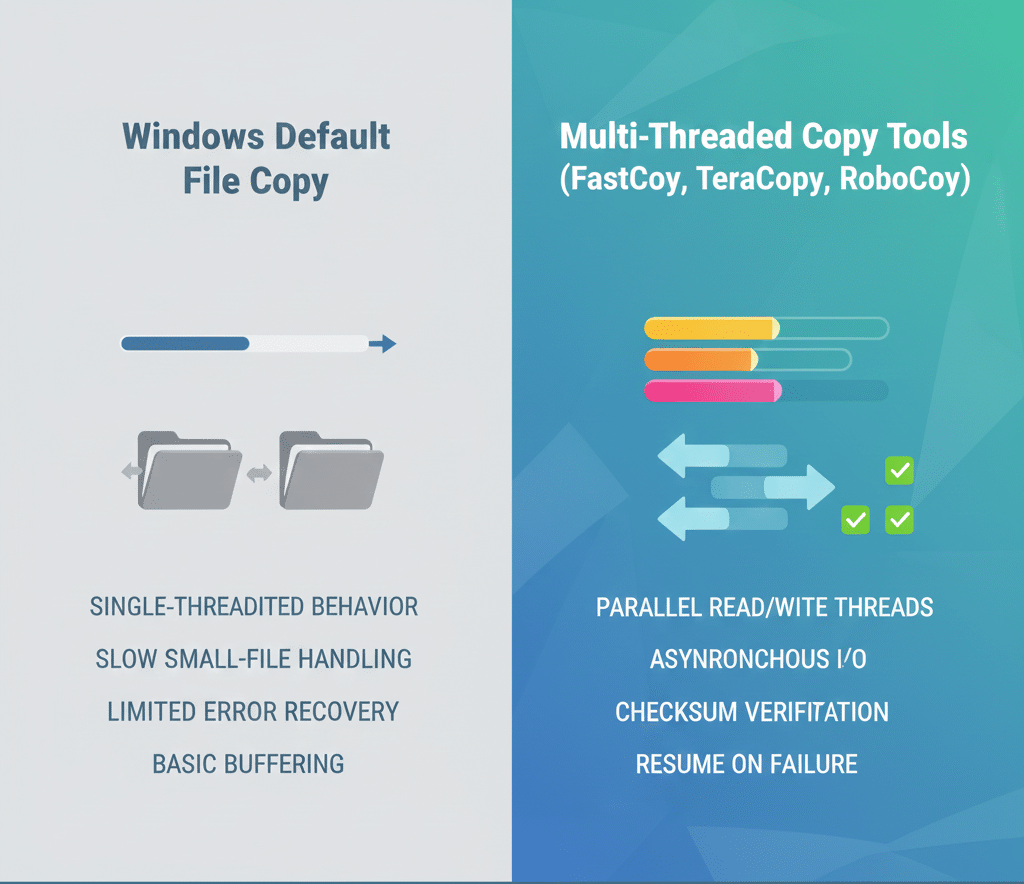
Despite improvements in Windows 11, the default copy mechanism still has limitations:
1. Single-Thread Bias for Small Files
Windows copy slows down significantly when handling thousands of small files, because it processes many operations sequentially rather than in parallel.
2. Weak Error Recovery
If a transfer fails mid-process, Windows often forces a full restart instead of intelligently retrying failed segments.
3. No Intelligent Disk or Network Optimization
Windows does not dynamically adapt to:
-
NVMe vs HDD speeds
-
USB vs network transfers
-
Fragmentation or bad sectors
Specialized tools do and that’s where the real performance gains come from.
How Modern File Copy Software Improves Performance (2026 Insight)
Advanced copy utilities outperform Windows by using:
-
Multi-threaded read/write operations
-
Asynchronous I/O to reduce idle wait time
-
Direct disk access (bypassing OS bottlenecks)
-
Checksum verification to prevent corruption
-
Resume logic for interrupted transfers
On SSD and NVMe systems, these optimizations can reduce transfer time by 30–70%, based on real-world benchmarks from 2024–2025 power users and IT admins.
How We Evaluated the Best File Copy Tools
Each tool below was assessed using real-world Windows workloads, not synthetic benchmarks:
-
Performance with large single files vs many small files
-
Stability during long transfers
-
Pause, resume, and error recovery
-
Suitability for home users vs power users
-
Ongoing development and Windows 11 compatibility
12 Best File Copy Software for Windows in 2026
1. FastCopy
Best Overall for Raw Speed
FastCopy remains the fastest file copy utility for Windows in 2026 especially on SSD and NVMe systems.
Why It’s So Fast
-
Uses multi-threaded direct I/O
-
Minimizes OS-level buffering
-
Optimized for both HDD and SSD
Trade-Off
-
Interface is functional, not friendly
Best For: Power users, IT professionals, large data transfers
2. TeraCopy
Best Balance of Speed & Usability
TeraCopy continues to be the most popular Windows copy alternative for everyday users.
Why Users Choose It
-
Intelligent pause/resume
-
Automatic file verification
-
Seamless Windows Explorer integration
Limitations
-
Full feature set requires Pro version
Best For: General users who want reliability without complexity
3. Copy Handler
Best for Large Batch Transfers
Copy Handler excels when copying massive folders with thousands of files.
Standout Features
-
Advanced queue management
-
Detailed transfer statistics
-
Automatic resume after system reboot
Best For: Backup tasks, archival projects
4. RoboCopy
Best Built-in Tool for Advanced Users
RoboCopy (Robust File Copy) is still included in Windows and widely used by sysadmins.
Why It Still Matters
-
Extremely reliable
-
Scriptable and automatable
-
Handles network transfers well
Downsides
-
Command-line only
-
Steep learning curve
Best For: IT admins, automation, scripting
5. GS RichCopy 360
Best for Network & Enterprise Transfers
Designed originally for backup, GS RichCopy 360 is excellent for multi-threaded network copying.
Strengths
-
Massive parallelism
-
Handles NTFS permissions well
-
Enterprise-grade reliability
Best For: Network environments, servers, enterprises
6. EaseUS Disk Copy
Best for Full Disk & Drive Cloning
EaseUS Disk Copy is less about files and more about entire disk replication.
Why It’s Different
-
Sector-by-sector cloning
-
Ideal for OS migration
-
Fast SSD-to-SSD transfers
Best For: System upgrades, drive replacements
7. UltraCopier
Best Open-Source Alternative
UltraCopier offers a clean interface with solid performance and no cost.
Pros
-
Open-source
-
Pause/resume support
-
Cross-platform
Cons
-
Not the fastest under heavy loads
8. ExtremeCopy
Best Lightweight High-Speed Tool
ExtremeCopy focuses on minimal overhead and fast execution.
Strength
-
Parallel file transfers
-
Simple controls
Limitation
-
Peak speed depends heavily on system health
9. File Fisher
Best Portable File Copy Software
File Fisher runs without installation perfect for USB drives.
Why It’s Useful
-
Portable
-
Pause, resume, terminate at will
Best For: Technicians, emergency data recovery
10. FF Copy
Best for Queue-Based Transfers
FF Copy allows granular control over transfer order and disk usage.
Unique Advantage
-
Prevents disk fragmentation
-
Parallel transfer queues
11. Unstoppable Copier
Best for Damaged or Corrupted Files
Unstoppable Copier prioritizes data recovery over speed.
Why It’s Unique
-
Skips bad sectors
-
Recovers readable data from damaged drives
12. MiniCopier
Best Minimalist File Copy Tool
MiniCopier is lightweight but surprisingly fast.
Ideal For
-
Users who want speed without complexity
-
Low-resource systems
Which File Copy Tool Fits Your Use Case
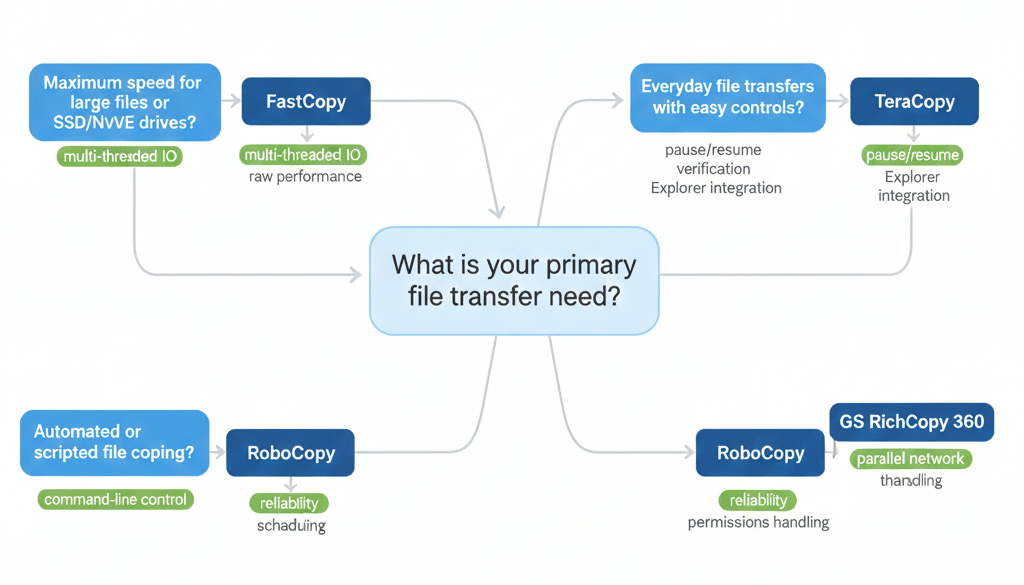
Side-by-Side Comparison (2026 Snapshot)
Tool |
Best For |
Speed |
Ease of Use |
|---|---|---|---|
FastCopy |
Maximum speed |
⭐⭐⭐⭐⭐ |
⭐⭐ |
TeraCopy |
Everyday use |
⭐⭐⭐⭐ |
⭐⭐⭐⭐ |
RoboCopy |
Automation |
⭐⭐⭐⭐ |
⭐ |
GS RichCopy |
Network copying |
⭐⭐⭐⭐⭐ |
⭐⭐⭐ |
EaseUS Disk Copy |
Disk cloning |
⭐⭐⭐⭐ |
⭐⭐⭐ |
FAQs (People Also Ask – 2026)
What is the fastest file copy software for Windows?
FastCopy consistently delivers the highest raw transfer speeds.
Is RoboCopy better than TeraCopy?
RoboCopy is more reliable for automation, while TeraCopy is easier for daily use.
Do file copy tools improve SSD performance?
Yes multi-threaded tools fully utilize SSD and NVMe bandwidth.
Is third-party file copy software safe?
Reputable tools use checksum verification and are widely trusted.
Final Verdict: Best File Copy Software for Windows in 2026
In 2026, Windows’ default copy function is fine for small tasks but inefficient for serious workloads.
-
FastCopy → Best raw performance
-
TeraCopy → Best overall usability
-
RoboCopy → Best built-in power tool
-
GS RichCopy 360 → Best for networks
The right file copy tool doesn’t just save time, it reduces failure risk and protects your data.