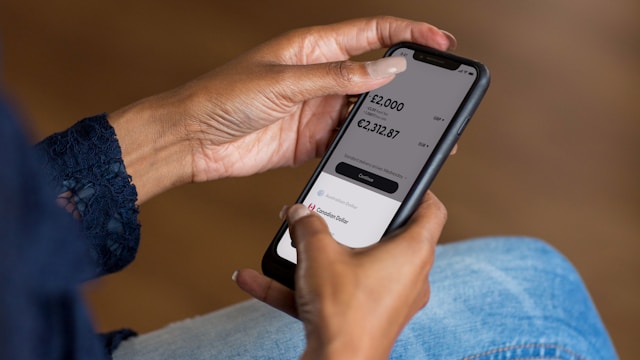
Wise (formerly TransferWise) is a trusted platform for international money transfers and currency exchange. Whether you’re a freelancer receiving payments in multiple currencies, a traveler managing expenses abroad, or a business dealing with global transactions, Wise offers a seamless way to convert money at real exchange rates with low fees. In this guide, we’ll walk you through how to exchange money on Wise, the fees involved, and tips for getting the best rates.
Ways to Exchange Money on Wise
Wise provides multiple ways to exchange currencies, making it easy to manage funds globally.
1. Using a Wise Multi-Currency Account
With a Wise multi-currency account, you can hold and convert money in over 50 currencies. This is ideal for freelancers, remote workers, and businesses that receive payments in different currencies and want to convert money only when rates are favorable.
2. Sending Money to Another Currency
If you’re transferring money to someone in a different country, Wise automatically converts the amount at the real exchange rate before sending it. This method ensures that the recipient gets the exact amount without hidden fees.
3. Automatic Currency Conversion
When you make payments in a currency different from your account balance, Wise can automatically exchange the required amount. This is useful for international shopping, subscriptions, or online purchases in foreign currencies.
Step-by-Step Guide to Exchanging Money on Wise
Follow these simple steps to exchange money on Wise quickly and efficiently.
Step 1: Log in to Your Wise Account
Visit the Wise website or open the Wise mobile app and sign in to your account. If you don’t have an account yet, create one for free.
Step 2: Go to the Currency Exchange Section
In your Wise dashboard, navigate to the “Convert” or “Exchange” section where you can swap money between different currencies.
Step 3: Choose the Currencies
Select the currency you want to convert from and the currency you want to exchange it into. Wise will display the exact amount you’ll receive based on the real exchange rate.
Step 4: Review the Exchange Rate and Fees
Wise provides the mid-market exchange rate with no hidden markups. The platform also shows the exact Wise money exchange fees upfront.
Step 5: Confirm and Complete the Conversion
Once you’re satisfied with the rate and fees, click “Convert” to complete the transaction. Your funds will be exchanged instantly or within a short processing time.
Wise Exchange Rates & Fees
One of the biggest advantages of using Wise is its real exchange rate, also known as the mid-market rate. Unlike banks and traditional exchange services that add hidden markups, Wise ensures you get the best possible rate for your currency conversion.
Here’s what to expect in terms of fees:
- Currency conversion fee – A small percentage-based fee is applied depending on the currency pair.
- No hidden charges – Wise does not add extra margins to exchange rates like traditional banks.
- Lower fees than banks – Compared to banks, Wise currency conversion fees are significantly lower, saving you money on every exchange.
How Long Does It Take to Exchange Money on Wise?
For most currency pairs, Wise processes exchanges instantly. However, the time it takes depends on:
- The currency pair – Some conversions may require additional processing time.
- Bank processing delays – If you’re sending money to an external bank account after conversion, the bank’s transfer speed will impact delivery time.
Common Issues & Troubleshooting
If you encounter any issues while exchanging money on Wise, here are some possible solutions:
- Conversion failed? Ensure you have enough balance in the currency you’re trying to exchange.
- Exchange rate changed? The rate may fluctuate slightly before confirmation due to real-time market changes.
- Need help? Contact Wise support for assistance with any transaction issues.
Final Tips for Getting the Best Wise Exchange Rates
- Monitor exchange rates and convert when rates are in your favor.
- Use a Wise multi-currency account to hold funds and exchange when needed.
- Check fees before converting to ensure you’re getting the best deal.
- Avoid unnecessary conversions by keeping money in multiple currencies if you frequently deal with international transactions.
Exchanging money on Wise is simple, transparent, and cost-effective. Whether you’re managing a business, traveling abroad, or handling international payments, Wise ensures you get the best exchange rates with minimal fees. Now that you know how to exchange money on Wise, you can confidently convert currencies and make the most of your money.